
Preview
A brief demonstration of how our forward-deployed consulting brings private, enterprise-grade AI to your organisation’s existing information and knowledge systems. Here is a short walk-through of three cardinal utilities you can try first-hand on the demo site — the private-knowledge Library, the Book Studio and the App Builder. The full extent of the walkthrough can be accessed here. Request your demo credential and explore the live demo (desktop browser recommended) at: jingconsult.org.
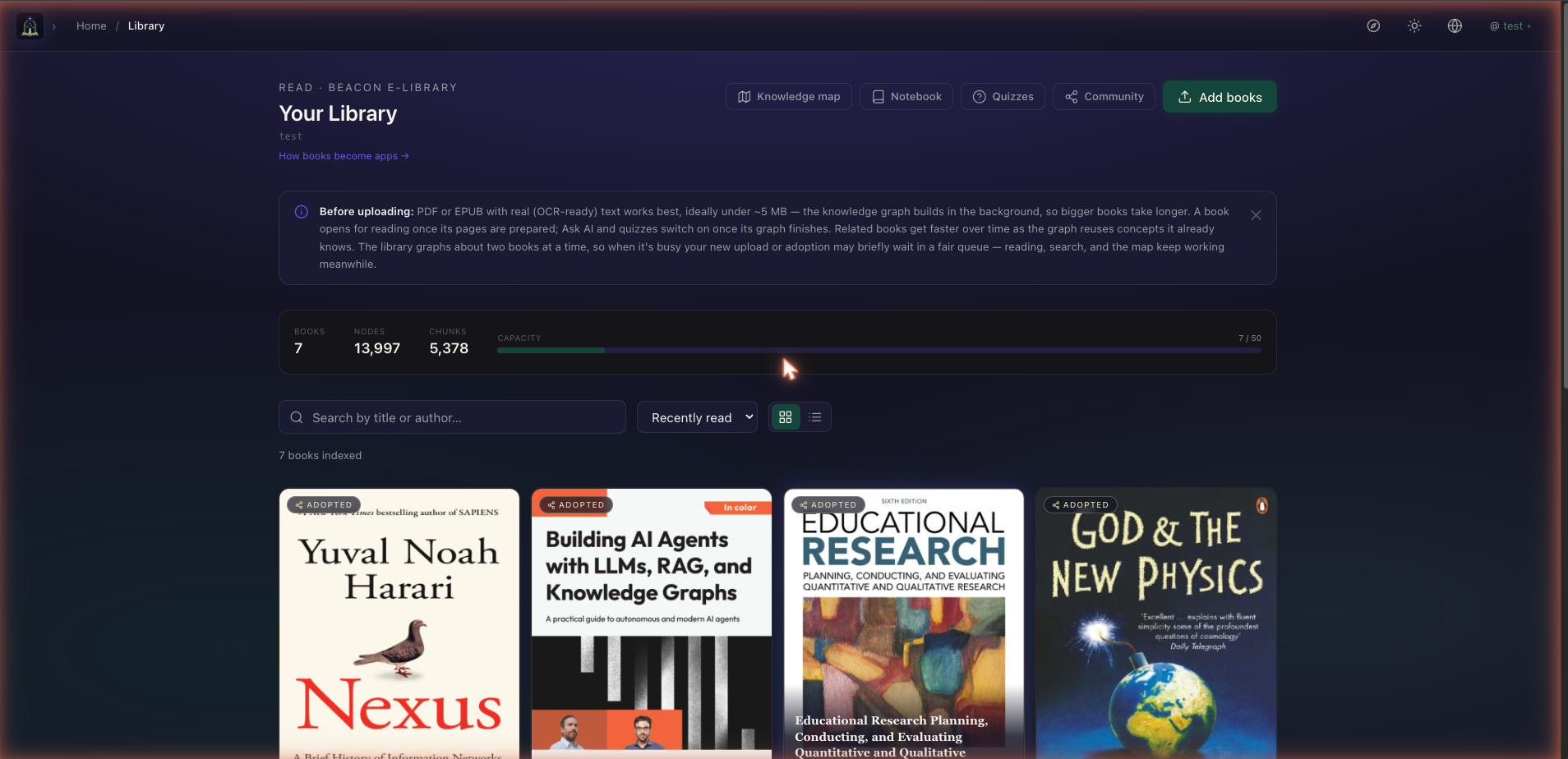
1 · Your Library — documents become an askable knowledge graph
Upload your PDFs and EPUBs and the portal builds a private knowledge graph in the background. Each book becomes readable in the browser, and once its graph is ready you can Ask AI with page-level citations, open an interactive Knowledge Map, auto-generate quizzes, and run notebook literature reviews — all inside your own isolated tenant, never mixed with anyone else’s.
2 · Book Studio — write the book your notes were becoming
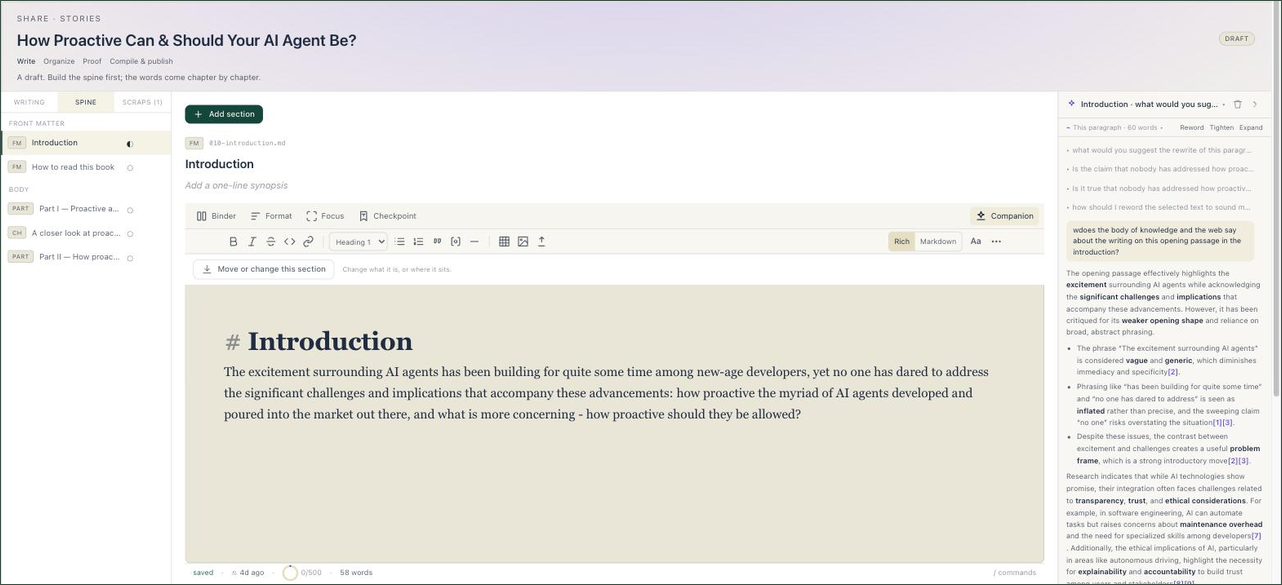
Book Studio turns your Library notebook — highlights, saved answers, margin notes — into a manuscript. A short conversational interview proposes a chapter structure from the notes you pick; then you write in a calm canvas with an AI companion grounded in your own sources — it suggests, cites and rewrites only from the books you choose, and nothing lands in your book unless you accept it. Compile to EPUB, PDF, DOCX or a web book with page-level citations in your chosen scholarly style, then publish back into your own library — where it can be read, quizzed and mapped like any other book — or share it to the community shelf.
3 · App Builder — describe an app, and Brian builds it
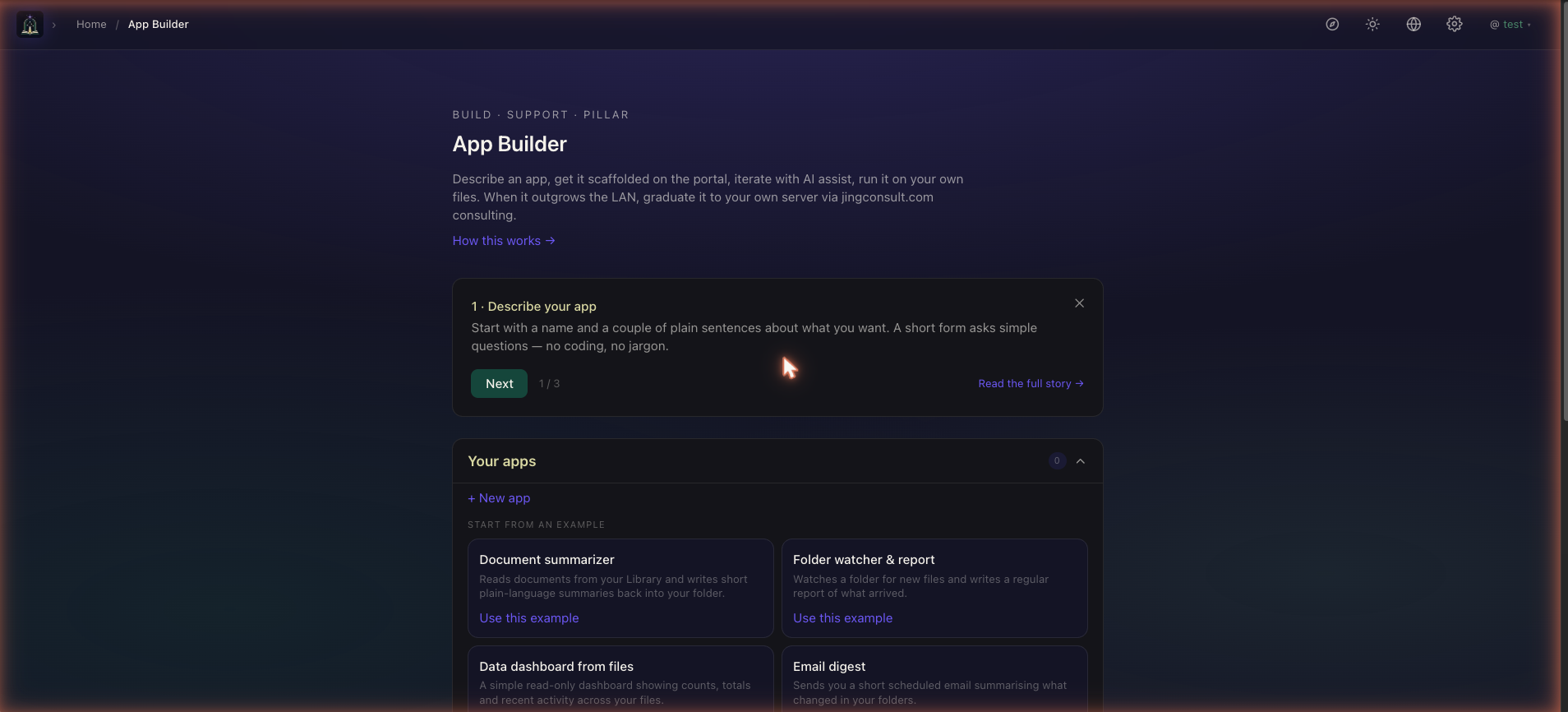
Describe an app in a couple of plain sentences — no coding, no jargon. Brian, the portal’s build agent, scaffolds it on your own files, iterating with you and explaining each change in plain language; you approve, it applies. Start from a working example — document summariser, folder watcher, data dashboard, email digest — or from scratch. When an app outgrows the demo, we graduate it to your own server through a consulting engagement.
4 · On your phone, and on your Mac
The Portal’s native apps for iPhone and Android are live on the App Store and Google Play. They carry the parts worth having in your pocket — your Library, a proper page-view reader with the AI reading companion beside it, Ask AI with page-level citations you can tap through to the cited page, a Notebook of your highlights and saved answers, quizzes, and the Knowledge Map of everything you’ve read. Book Studio, App Builder and CV Builder stay on the desktop portal, where the screen space is. Both apps sign in to the same account as the web portal, and the interface is available in English, 简体中文, 日本語 and Español.
On a Mac it is a desktop app as well — the whole portal in a native window, Book Studio and the App Builder included, with a real menu bar and a keyboard shortcut to each app.



macOS 12 or later · Apple silicon and Intel · signed and notarised · updates itself
We’ll send you a test login so you can explore the Library, Book Studio and App Builder for yourself.